
Top AI Tools 2026 That Actually Save Time
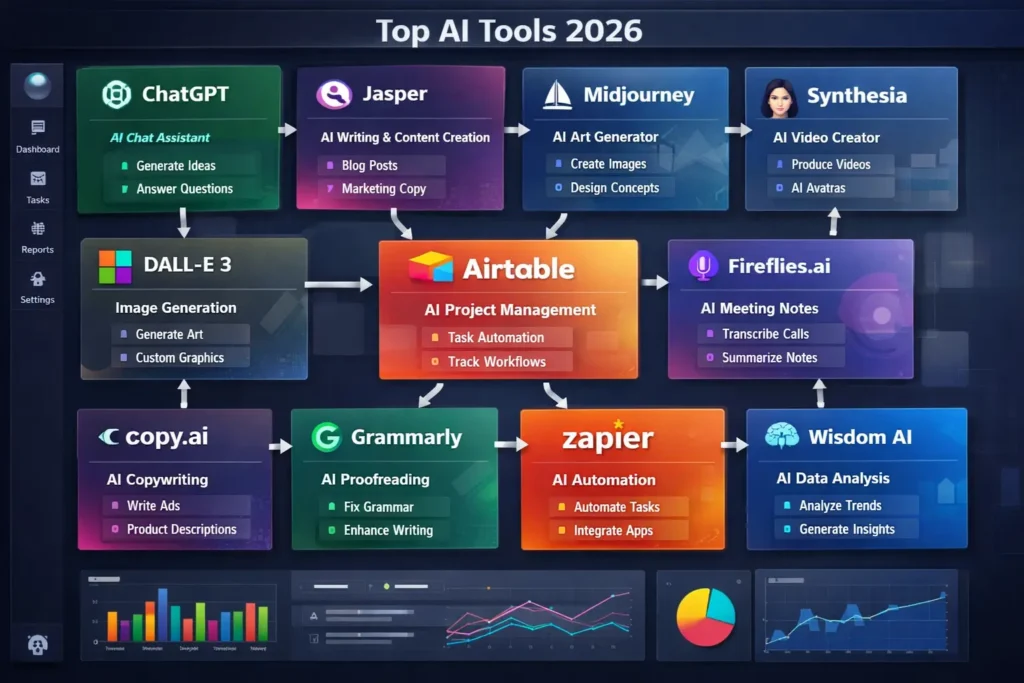
Top AI Tools 2026 You Should Actually Use Introduction If you’ve searched AI tools recently, you probably noticed something strange. Every blog claims their list will change your life. Every YouTube video says “100 AI tools you must use.” And honestly? Most of them repeat the same names without explaining why you’d even need them. Here’s the thing. AI tools exploded so fast that beginners now feel more confused than helped. Too many options. Too much noise. Half the tools overlap anyway. So instead of another inflated list, this guide breaks down the top AI Tools 2026 that people are genuinely using — freelancers, marketers, students, founders… real workflows, not theory. You’ll understand what each tool actually does, where it helps, and where it honestly doesn’t. Let’s get into it.D Why Most AI Tool Lists Feel Useless Now let’s be real for a second. Most ranking blogs stretch content just to hit word count. They list tools nobody sticks with after week one. The problem isn’t lack of AI tools. The problem is decision fatigue. Beginners install five writing tools, three image generators, two automation apps… then abandon all of them because nothing fits together. Good AI tools don’t just look impressive. They remove friction from daily work. That’s the filter used here. 1. ChatGPT — Still the Daily Workhorse Yes, obvious choice. Still unavoidable. People expected newer tools to replace it by now. Didn’t happen. What changed in 2026 is how people use it. Less for random chatting. More for structured work: blog outlines coding help research summaries marketing ideas automation planning Honestly, beginners underestimate prompt clarity. The tool isn’t magic — clarity in, clarity out. If you learn one AI properly, start here. 2. Claude — The Thinking Partner Claude feels different. Less aggressive. More analytical. Writers and researchers prefer it because long-form reasoning feels calmer and more logical. When documents get heavy — reports, scripts, strategy planning — Claude usually handles context better. Not flashy. But extremely dependable. 3. Midjourney — Visual Creation Without Designers Design used to slow projects down. Waiting for thumbnails, social posts, mockups… annoying bottleneck. Midjourney changed that workflow completely. Creators now generate: brand visuals product concepts YouTube thumbnails ad creatives The truth is, it still needs taste. Bad prompts create bad images. AI didn’t replace designers. It just removed the starting barrier. 4. Runway ML — Video Editing Just Got Weirdly Easy Video editing used to mean hours inside complicated timelines. Runway ML quietly flipped that. You can now: remove backgrounds instantly generate video scenes extend footage create AI motion clips Content creators love it because short-form video production becomes faster than planning itself. And yeah… sometimes results look slightly artificial. But speed wins. 5. Notion AI — Organization Meets Intelligence Productivity apps usually fail because people stop updating them. Notion AI helps by doing part of the thinking. Meeting notes summarize automatically. Task lists generate themselves. Content calendars practically build on command. Here’s my opinion — this tool works best for messy thinkers. If your brain jumps between ideas constantly, Notion AI becomes surprisingly calming. 6. Perplexity AI — Google Alternative That Feels Smarter Search engines changed quietly. Perplexity doesn’t just show links. It explains answers while citing sources. Students and marketers use it heavily for research because it cuts browsing time dramatically. That said, verification still matters. AI summaries aren’t perfect. But compared to traditional search? Faster. Much faster. 7. GrammarlyGO — Writing Without Overthinking People assume Grammarly is just spell-check. Not anymore. GrammarlyGO rewrites tone, improves clarity, and fixes awkward sentences while keeping intent intact. Writers who struggle with confidence benefit most here. It doesn’t replace voice — it smooths rough edges. Big difference. 8. Pictory — Content Repurposing Machine Creators learned something important in 2025: Long content alone doesn’t grow audiences. Pictory converts blogs or scripts into short videos automatically. One article → multiple reels. One webinar → dozens of clips. Perfect? No. Useful? Absolutely. 9. Zapier AI — Automation Without Coding Automation used to belong to developers. Zapier AI changed accessibility completely. You describe workflow like: “Save email attachments to Google Drive and notify Slack.” Done. Businesses quietly save hours every week using automation chains like this. Most people ignore automation until workload becomes painful. Then they wish they started earlier. 10. Canva Magic Studio — Design for Non-Designers Canva evolved from beginner design tool into full AI workspace. Magic Studio now handles: presentations marketing visuals background removal AI writing branding kits Professionals sometimes criticize Canva. Honestly? Clients rarely care how design was made — only results. 11. ElevenLabs — Human-Like AI Voice Voiceovers used to require studios or freelancers. ElevenLabs produces extremely realistic narration. Used heavily for: YouTube automation audiobooks training videos podcasts The scary part? Voices sound almost indistinguishable from humans now. Ethics conversations around this tool are growing fast. 12. Synthesia — AI Avatars for Video Communication Businesses hate recording videos repeatedly. Synthesia solves that with AI presenters. Training videos, onboarding guides, product demos — all created without cameras. Some avatars still feel slightly robotic. But for internal communication? Massive time saver. Honest Comparison Table Tool Best For Learning Curve Reality Check ChatGPT Daily tasks Easy Needs good prompts Claude Deep writing Medium Slower responses Midjourney Images Medium Requires creativity Runway ML Video Medium Not always perfect Notion AI Productivity Easy Setup takes time Perplexity Research Easy Verify sources GrammarlyGO Writing Very Easy Style limited Pictory Repurposing Easy Editing needed Zapier AI Automation Medium Paid plans add up Canva Magic Design Easy Templates repeat ElevenLabs Voice Easy Ethical concerns Synthesia AI video Medium Avatar realism varies No exaggeration here. Every tool has trade-offs. Expert Insight “The biggest mistake I see beginners make is chasing new AI tools every month. Master two or three properly, and productivity jumps more than installing twenty apps.” That’s been true across teams I’ve worked with too. Consistency beats experimentation overload. How to Choose the Right AI Tool (Without Getting Overwhelmed) Honestly, don’t